
Grades & results in Massar: how to view your marks and work out your average
A plain-language guide to grades and results on the Massar platform: types of marks, how to view them, how the coefficient-based average is calculated, and fixes for common problems.
After signing in to your space, one of the things students look for most on the Massar platform is their grades and results. This guide explains, in plain language, the types of grades in Massar, how to view them step by step, and how the average is calculated using coefficients — plus fixes for the most common problems during results periods.
Types of grades in Massar
The grades shown in your student space usually fall into two main types:
Continuous-assessment grades
These are the marks a teacher enters during the term for each subject — tests, activities and participation. They reflect your ongoing level throughout the school period, before the exam.
Exam grades
These are the marks obtained in exams (such as a standardised or end-of-term exam). They are combined with the continuous-assessment grades, according to the official system, to form the subject’s term average.
All of these grades are organised by term: the first term, then the second term.
How to view your grades
To view your grades inside the Massar space, follow these steps:
- Sign in to your space through the official portal moutamadris.men.gov.ma. If you have trouble getting in, see the login guide.
- From the Massar home screen, open the My School / Academic Tracking section.

- Choose the school year from the dropdown (for example 2025–2026).

- Press the Search button to open your grades and results file.

Once the file opens, you’ll see the list of subjects with each subject’s grade, organised by term, plus the average once it’s complete.
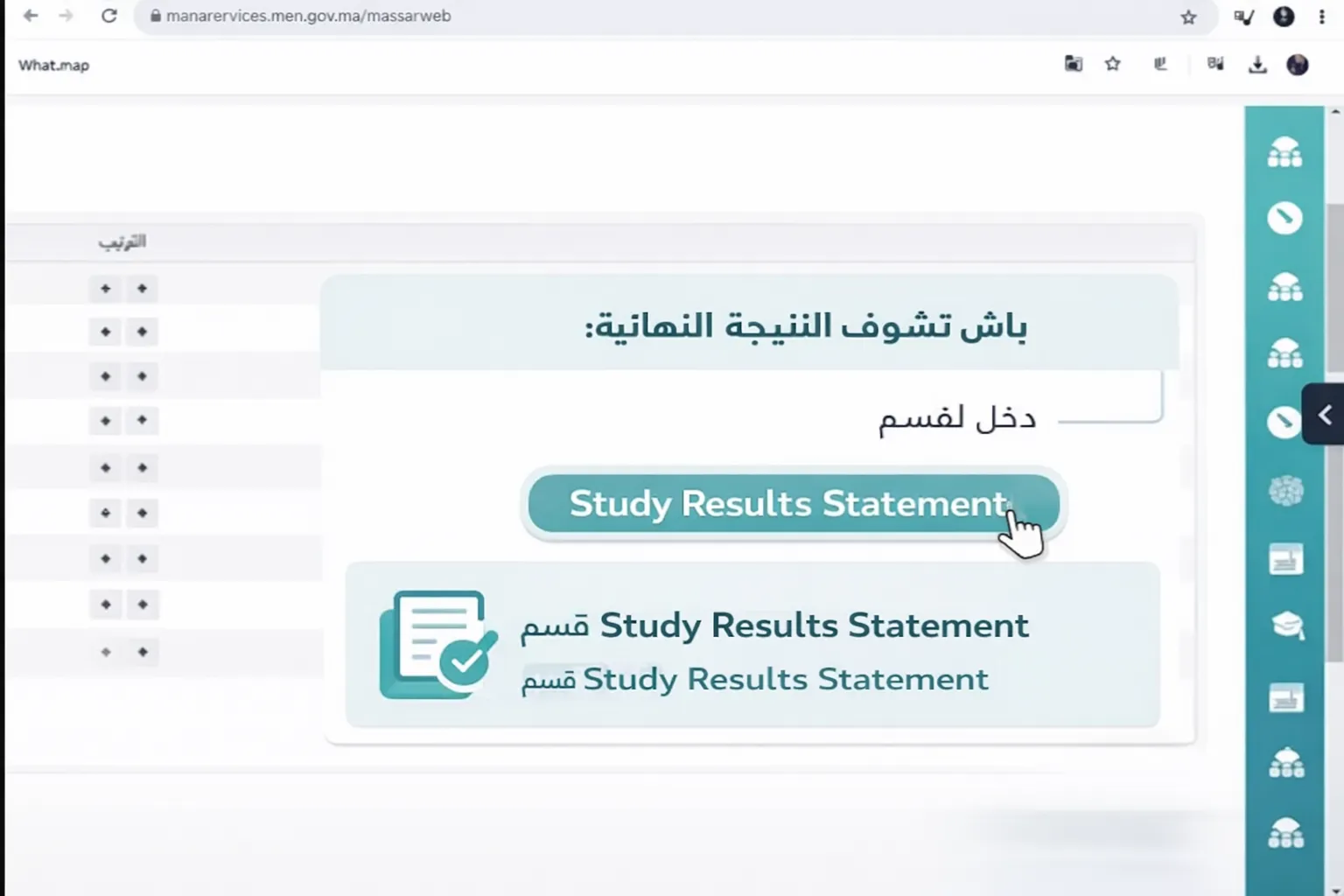
To see your final, consolidated result, open the Study Results Statement section.
How the average is calculated
The average in Massar is based on coefficients. Each subject has a coefficient reflecting its weight, and the average is not a plain average of the marks but a weighted one.
The general rule:
Average = sum of (subject grade × its coefficient) ÷ sum of coefficients
- Term average: combines a term’s subject grades using their coefficients (first or second term).
- Annual average: combines the two term averages to give the final result for the school year.
Worked example
Suppose a student scored the following in three subjects (these numbers are for illustration only and are not official grades):
| Subject | Grade (out of 20) | Coefficient |
|---|---|---|
| Mathematics | 14 | 3 |
| Arabic | 12 | 2 |
| Physical education | 16 | 1 |
First we compute the sum of (grade × coefficient):
- Mathematics: 14 × 3 = 42
- Arabic: 12 × 2 = 24
- Physical education: 16 × 1 = 16
- Total: 42 + 24 + 16 = 82
Then we divide by the sum of the coefficients (3 + 2 + 1 = 6):
Average = 82 ÷ 6 ≈ 13.67 out of 20
Notice that Mathematics, with the highest coefficient, affected the average more than Physical education. To try your own numbers quickly, use the grade calculator.
Understanding the pass mark and average
Before reading your grades, it helps to understand how they are scored on the Massar platform and what separates a pass from a struggle.
Grades out of 20 and the pass threshold
Grades in Massar are usually given on a scale out of 20, whether it’s a single subject’s mark or the overall average. The general pass threshold is often 10 out of 20: a student above this average is usually considered to have passed, while one below it may need support or other measures decided by the school. That said, this is a general rule rather than a fixed number in every case.
Term average vs annual average
It’s important to tell the two kinds of average apart when it comes to moving up to the next level:
- The term average reflects your result in a single term (first or second) using its subjects’ coefficients.
- The annual average combines both terms, and it is usually what a promotion or repetition decision relies on.
A single term’s average can sit below the threshold while the annual average stays above it, or the other way around, so it’s best to look at the full picture rather than one term alone.
Rules can vary
The details of thresholds and how promotion works differ by school level (primary, lower-secondary, upper-secondary) and by school year and the regulations in force. Treat the figures here as a general framework for understanding, and always refer to what your school announces officially.
When do grades appear in Massar?
Many students open the Moutamadris space, find some subjects blank, and assume something is wrong. In reality, a grade goes through several stages before it shows up.
Stages of publishing a grade
A subject’s grade does not appear in masar all at once, but only after:
- The relevant teacher enters it into the system.
- The administration reviews and validates it.
- It is published so it becomes visible in your space.
Until these stages are complete, a subject can stay blank, which is normal behaviour and does not mean your grade is lost. The portal itself can also become slow during results periods because so many people visit at the same time.
Troubleshooting
A grade is blank or missing
- The teacher may not have entered the grade yet, or the administration hasn’t validated it.
- Wait a while and check again later, or ask the relevant teacher.
A grade looks wrong
- The official site cannot change official grades, and this guide is unofficial too.
- Contact your school administration or the teacher so any error can be corrected inside the system.
The average isn’t showing
- The average is usually shown only after all of the term’s grades are complete and validated.
- Make sure there are no blank subjects, then try again later.
The portal is slow during results periods
- When results are released, the server is under heavy load; try again at another time.
- Check the results calendar for expected dates and to avoid the rush.
My average is different from my own calculation
- Make sure you used the correct coefficient for each subject; a single wrong coefficient changes the result.
- The gap may come from rounding: the platform may round the result differently from your manual calculation.
- Also check that you included every counted subject and didn’t leave one out. For an accurate comparison, redo the maths with the grade calculator.
Last year’s grades aren’t showing
- Your space usually displays the grades for the current school year; marks from earlier years may not appear in the same view.
- If you need a past year’s results officially, it’s best to request them from your school administration, which keeps the official archive.